Exchanges
Learn which exchanges CCTrader supports and how to create API keys to connect them securely.
Exchange list
Before you can use CCTrader for trading, you'll need to connect to your exchange. However, as of this moment CCTrader supports the following exchanges:
Binance
Bitvavo
Bybit - Global
Hyperliquid
Hyperliquid Futures
Kraken
Kraken Futures
MEXC
OKX - EU
OKX - EU Futures
Capabilities
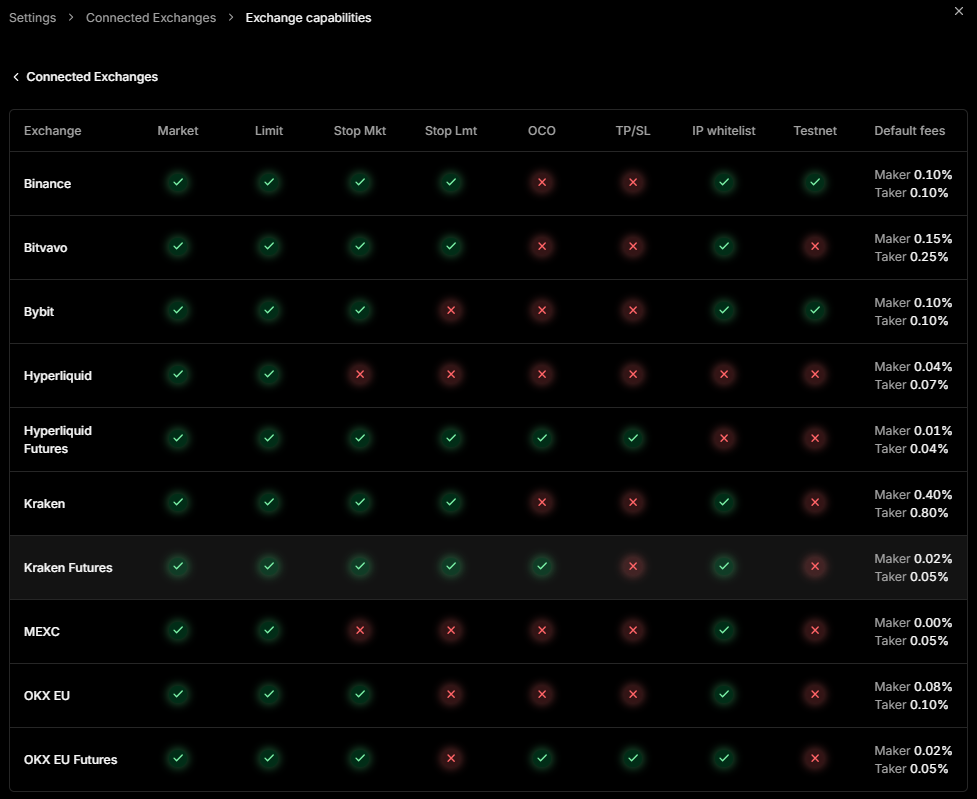
For each exchange that CCTrader supports, there is a nice overview of their capabilities:
Introduction
First of all, you will need to create an API on your exchange's account. With this API you can connect CCTrader with your exchange and start trading!
Second, security is important. All your API keys configured in CCTrader are stored locally on your device. CCTrader does not store it online. Also, you can whitelist your own IP address with the API registration on your exchange. CCTrader shows what your IP address is.
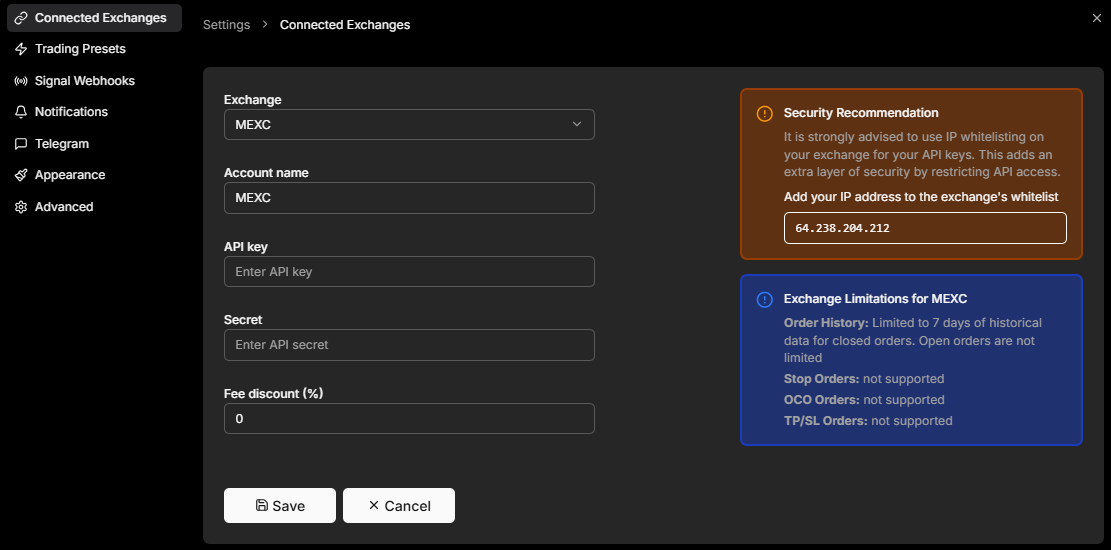
But… some Internet Providers do NOT give you a static IP address, but a dynamic one. This means that your IP address constantly changes. Then you are NOT able to whitelist your IP address.
Please navigate to your exchange below and follow the instructions on how to set up your API.
Note: After creating your API, make sure you copy the API key and secret and save them in a secure place.